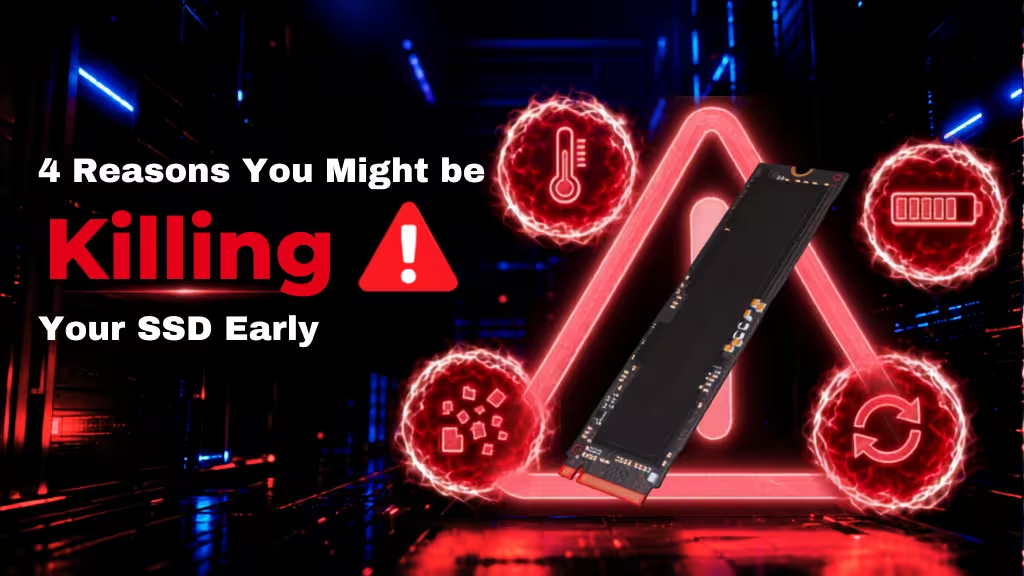
Modern SSDs are fast and durable, and if you look after them the right way, they can give you many years of high-speed data transfers and expansive storage capacity. But if you overuse it, abuse its secure erase functions, or let it get too hot, performance can degrade swiftly and in the worst cases, you could even lose data.
Looking after your SSDs with proper maintenance and avoiding strenuous use can make sure it continues to provide high-end performance for many years to come. But even if you think you’re using your SSD properly and avoiding the worst pitfalls, you may be unintentionally killing your SSD early.
Whether you’re running a brand new PCIe 5 SSD or making the most of an older PCIe 3 drive, it never hurts to brush up on the best ways to use your SSD for longevity. Here are some of the ways you might be killing your SSD and how to avoid it in the future.
Why SSD’s Die Early
The term “die” might be a little hyperbolic, but all SSDs have a life cycle and it can be accelerated through improper or heavy use. All SSDs have a terabyte writes rating (TBW) which gives you a rough guideline for how many terabytes of data you can write to the drive before it starts to degrade in performance and stability. It’s a measure of the stamina of its flash memory cells, effectively tracking how many program erase cycles the cells can handle across the whole drive.
When that TBW rating is exceeding, the SSD’s lifespan is shortened, and you should consider upgrading or replacing it to ensure your data remains safe and readily accessible.
On smaller capacity SSDs, TBW ratings can be just a few hundred terabytes, but for the largest and most capable it can stretch into the multiple thousands.
Although there are some specific reasons your SSD might be degrading faster than it needs to that we’ll discuss below, the main reason you may be killing your SSD early, is because of overuse. Whether it’s writing and re-writing data, constantly installing and uninstalling applications and games, or running aggressive drive organizers and secure erase functions.
The more and more heavily you use your SSD, the faster it will degrade, leading to an early demise.
Everyday SSD Habits That Could be Damaging Your Drive
SSDs are there to be used, so don’t be so concerned with protecting it that you don’t. But there are some day to day habits you should consider revising if you find yourself doing them too often, as you may be degrading your drive faster than necessary.
Working with large files like RAW images and video on a regular basis can mean consistent, high-intensity write cycles, which over time can degrade the drive’s flash cells. This is particularly prevalent if you use a single SSD in your system for the operating system, apps, and storage, as that single SSD is having to manage all the PC or device’s write commands.
Watch out for apps and games that write a lot of temporary files, too, as those can swiftly add up over time. System logs, browser cached files, messaging app history (images and video, especially), and large media libraries can quickly eat into your SSD’s durability.
Maxing out your drive’s storage means using all of its available cells for data, leaving little room for the controller to shuffle around the data for best performance and cell longevity. It’s good practice to leave between 10-20% of the drive empty, so the controller can optimize your data to extend the drive’s lifespan.
Try to Avoid Aggressive Overwriting
Secure erase, and writing over deleted data are the best ways to ensure your information is gone forever and unreadable by even capable security experts, but that does force additional write cycles on a drive. If a drive has a TBW of 500 and you secure erase its 1TB capacity, that single action has worn down 0.2% of that drive’s durability. Do that too often, and the damage starts to add up.
The same goes with fully writing to the drive, deleting that data, and doing it all over again. If you’re using an SSD as a repository for RAW image and video files from an external camera before editing, know that you’re going to swiftly eat through that drive’s TBW rating and you may need to replace it sooner than if you used it more judiciously.
Heat is the Enemy
Like all PC components, heat is what really degrades SSD NAND Flash cells, and can seriously contribute to killing your SSD early. To prevent that, make sure your SSD is fitted with a heatsink and has active cooling to keep its operating temperature within safe ranges.
If you’re using a Biwin SSD, try using Biwin Intelligence to keep a close eye on your SSD(s) temperatures and health ratings.
Regularly checking your drive’s condition can help you catch potential issues before they affect performance. Learn more in our guide on how to check SSD health easily.

The SSD Tech Keeping Yours Ticking
To help extend the life of modern SSDs, the latest drives employ a number of commands and techniques that collectively have a big impact. TRIM is an automated function of SSDs that keeps an eye on empty cells and re-purposes them as available storage as part of garbage collection. Without it, your operating system might not know you deleted an app or a game, leaving you with reduced available capacity.
Garbage collection is what actually re-purposes those cells, though. It works in conjunction with wear leveling to ensure that all cells are written too evenly, and when something is deleted from a cell, garbage collection clears it out so that it can be re-used.
SSDs also over-provision, by locking you out of some of its storage capacity so those cells can be swapped in when any existing ones are starting to wear down. That way you can maintain performance across the whole drive, even when it starts to age.
Look After Your SSD, and it Will Look After You
Modern SSDs are some of the most capable, durable storage devices ever made. But they can only work their best if they’re properly looked after and not overused or abused during day to day operation. Keep temperatures down, avoid consistent, frequent heavy write cycles, and try to keep at least 20% of the capacity free, and your SSD should last you for many years to come.
When It’s Time to Upgrade
Even with good maintenance, every SSD will eventually reach the end of its useful life. If that time comes, choosing a modern drive with high endurance and built-in technologies such as wear leveling, garbage collection, and over-provisioning can help you get the most from your next upgrade. Biwin Black Opal X570 PRO SSD is designed with those features in mind, making it well suited to demanding everyday workloads while delivering the reliability you’d expect from a high-performance PCIe 5.0 drive. Pair it with good storage habits and proper cooling, and you’ll be giving your next SSD the best chance of a long service life.