The fastest modern SSDs can run pretty hot when they’re working hard, which is why having a heat dispersing heatsink attached to it can make a real difference. The finned metal increases the surface area and heat-conductivity of the SSD, making it easier to keep it cool and within safe operating temperatures.
All the hottest components in desktop PCs and laptops get their own cooling system. CPUs have huge heatsinks and cooling fans, or water cooling loops, and graphics cards even more elaborate cooling systems to prevent them from overheating. SSDs don’t need anything quite like that, but the latest models are incredibly fast and increasingly hot under heavy load. There’s where heatsinks come in.
What is an SSD Heatsink?
SSD Heatsinks are hunks of thermally-conductive metal – usually aluminum or copper – that are attached to the solid state drive with a thermal pad. They are far more conductive than just moving air over the heatsink, which wicks the heat away from the SSD more effectively.
Once the heat has been pulled away from the drive, the larger surface area of the heatsink – sometimes in the form of thin fins – helps dissipate the heat into the air more effectively. It works doubly well if there’s a fan blowing cooler air across its surfaces.
One distinct difference between SSD heatsinks and the coolers used on other components, is that SSD heatsinks usually encase the SSD. Where a CPU cooler or GPU cooler will press against the chip it’s cooling and then attach to the PCB behind it, SSDs are often installed inside the heatsink, giving it additional cooling performance on both sides of the component.
Does my SSD Need a Heatsink?
Not every drive needs a heatsink, but it never hurts to add one. If you are buying a new PCIe 5 SSD like the Biwin Black Opal X570H Pro, it’s a good idea to install it with a heatsink because its high-end performance means it can put out a lot more heat than older, slower SSDs.
It’s also important to consider an SSD heatsink if you’re installing an SSD into a tight space with limited airflow. The less access to cool air your SSD has, the more likely it is to struggle with overheating. That can lead to degraded performance and shorter lifespan. Using a heatsink can help prevent that.
How to Check the Temperature of your SSD
If you’re unsure if your SSD(s) needs a heatsink, then you can always run a performance test to find out. Download SSD monitoring software like Biwin Intelligence and look for the drive’s Temperature rating. If it’s running at anything under 70 degrees C when at full load, you don’t need to worry.
If you see temperature spikes above that, though, particularly after sustained, heavy load, you may want to consider improving the cooling. That can mean adding a heatsink (or a bigger and better one if you have one already), or improve the active cooling to get cooler air to your SSD.
SSD Heatsinks: Are they worth it?
A heatsink is never useless. Keeping your drive running at cooler temperatures might not always prevent overheating if the SSD isn’t getting super hot, but in helping it run cooler you are helping to prevent wear and tear and that means your drive will last longer and continue to deliver peak performance for many years to come.
While you might not need an SSD heatsink, it doesn’t hurt to have one. With prices of SSD heatsinks are low as they are, it’s well worth considering.
Still unsure if your specific setup requires additional cooling? Read our detailed guide: Do You Need a Heatsink for Your M.2 SSD?
Keep Your SSD Cool Under Pressure with Biwin Black Opal X570H Pro Heatsink Edition
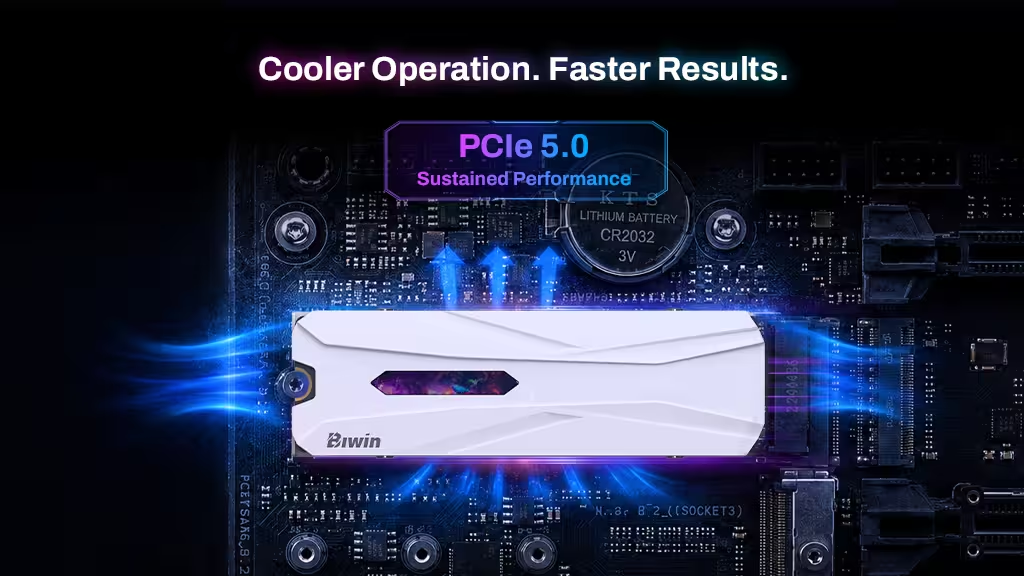
As PCIe Gen5 SSDs continue to push performance limits, managing heat becomes just as important as achieving peak speed. The Biwin Black Opal X570H Pro is designed with this in mind, pairing high-end PCIe Gen5 performance with an integrated premium heatsink solution that helps maintain stable operation under sustained heavy workloads.
By increasing surface area through an optimized thermal design and using efficient heat-conductive materials, the heatsink works to quickly draw heat away from the controller and NAND, then dissipate it more effectively into surrounding airflow. This helps reduce thermal throttling risks during intensive tasks such as large game loads, 4K/8K video editing, or long-duration data transfers.
The result is more consistent performance over time, not just peak speed in short bursts. For users running high-performance systems or compact builds with limited airflow, the X570H Pro’s thermal design ensures the SSD stays within a safer operating range, helping preserve responsiveness, stability, and long-term drive endurance.
FQA
Is it better to get an SSD with a heatsink?
An SSD with a heatsink can provide better thermal management, especially for high-performance PCIe 4.0 and PCIe 5.0 SSDs that generate more heat under heavy workloads. While not every SSD requires a heatsink, it can help reduce temperatures, prevent thermal throttling, and maintain stable performance.
What are the disadvantages of an SSD heatsink?
An SSD heatsink usually improves cooling, but it may have some limitations. Larger heatsinks can cause compatibility issues in compact devices such as laptops or gaming consoles. They may also add extra cost and make installation more difficult in some systems.
Do you really need a heatsink for a PS5 SSD?
Yes, a heatsink is recommended for a PS5 SSD because the console requires an SSD with effective heat management. A compatible SSD heatsink helps dissipate heat during long gaming sessions and can prevent performance drops caused by high temperatures.
Can a heatsink damage my SSD?
A properly installed heatsink will not damage your SSD. However, using an incompatible heatsink or installing it incorrectly may cause issues. Make sure the heatsink fits your SSD model and is installed according to the manufacturer’s instructions.